Bee CMS

The CMS behind every site we build

Bee CMS is our own headless CMS. Your site is a fast Astro website, and your team edits it in a simple panel, in every language you need.

  • Block-based editing.Compose pages from ready-made blocks, each with named fields.
  • Languages built in.Translate every block and see what is still missing.
  • Your site, your code.Plain Astro in a Git repository your developer can open.
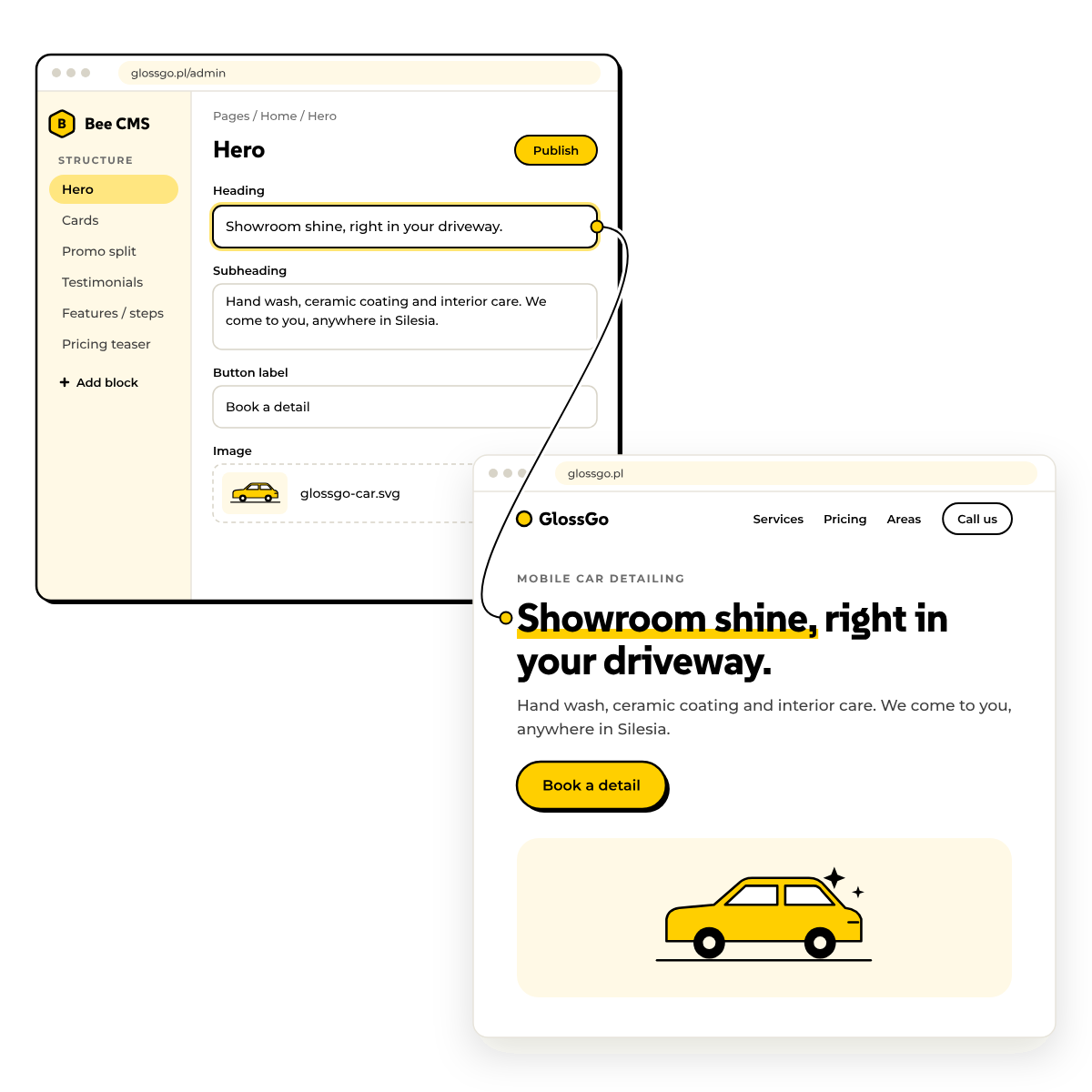
The Bee CMS panel editing a hero block next to the live website showing the same headline

Pages from blocks

Build pages from blocks, not from scratch

Every page is composed from ready-made blocks: hero, cards, features, pricing, FAQ, testimonials and more. Each block has named fields your team fills in, so nobody pastes layout code and nothing breaks the design.

Your brand colours are set once, and every block picks them up on its own.
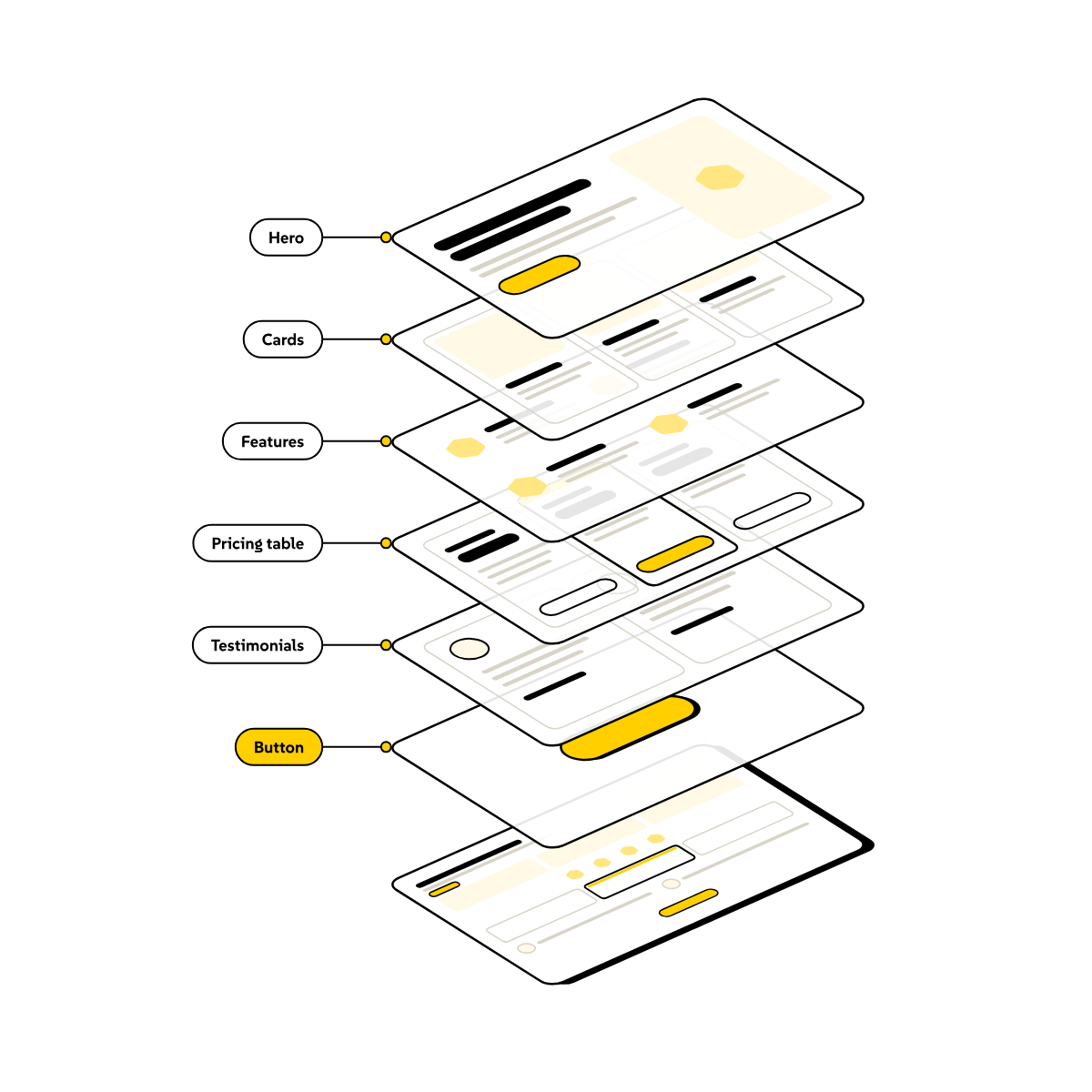
A web page pulled apart into stacked layers, one per block: hero, cards, features, pricing table, testimonials and button
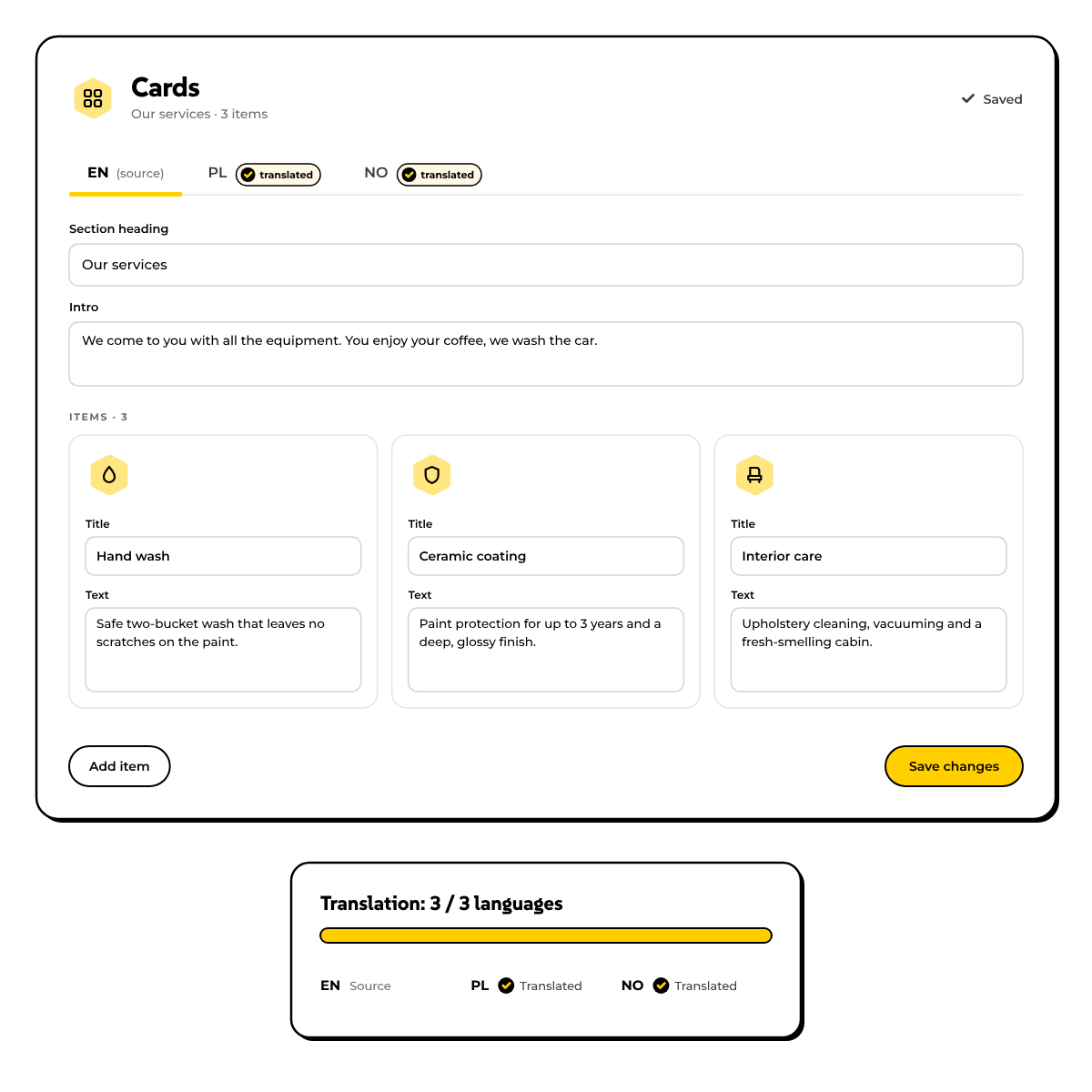
The Bee CMS Cards block with EN, PL and NO language tabs and a translation progress panel

Languages

Every language in one panel

Each page has its own version for every language you switch on. You edit them in the same panel, and a completeness report shows which pages still lack a translation.

Every language gets its own address and its own SEO title and description.

Brand

Your colours, applied everywhere

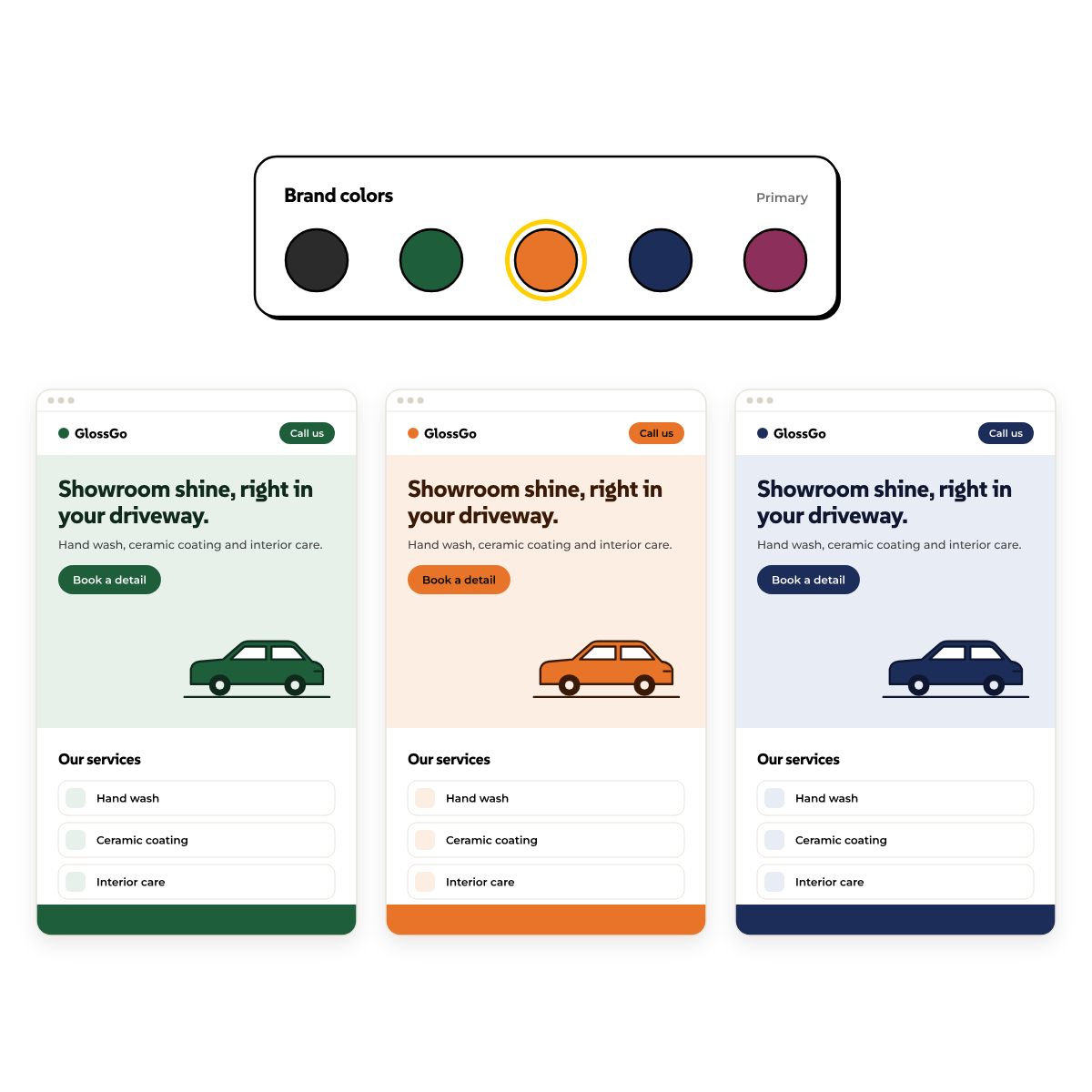
Pick your brand palette once in the panel. Buttons, backgrounds and highlights in every block follow it, and so does the whole site if you change it later.

The same content and layout can look completely different on another palette.

The same web page shown in three brand palettes, green, orange and navy, chosen in the Bee CMS colour picker

Built for AI

Let Claude help, with you in control

Bee CMS has its own MCP server, so an AI assistant like Claude can read and edit your site under the same rules your team works under.

1

Real tools, not guesswork

The assistant works with pages, blocks, menus, SEO fields, translations and media through named tools. It reads the block schema first, so it knows exactly which fields exist before it changes anything.

2

Permissions you set

Access is granted per token, with the same permission levels as a panel account. Editing content and deploying the site are separate permissions.

3

Preview before anything goes live

On a client account every edit goes through a preview first. You open the built page, and only your explicit yes publishes it. A published preview can be undone for 24 hours.

4

Every call is logged

Each call is recorded with the tool, the outcome and the token that made it, so what an assistant did can always be traced.

For developers

Claude Code works on the code too

Every site is also a normal Git repository, so a coding assistant like Claude Code can work on the code itself, not only on the content. Read what that means if you are not a developer.

Under the hood

Fast by design

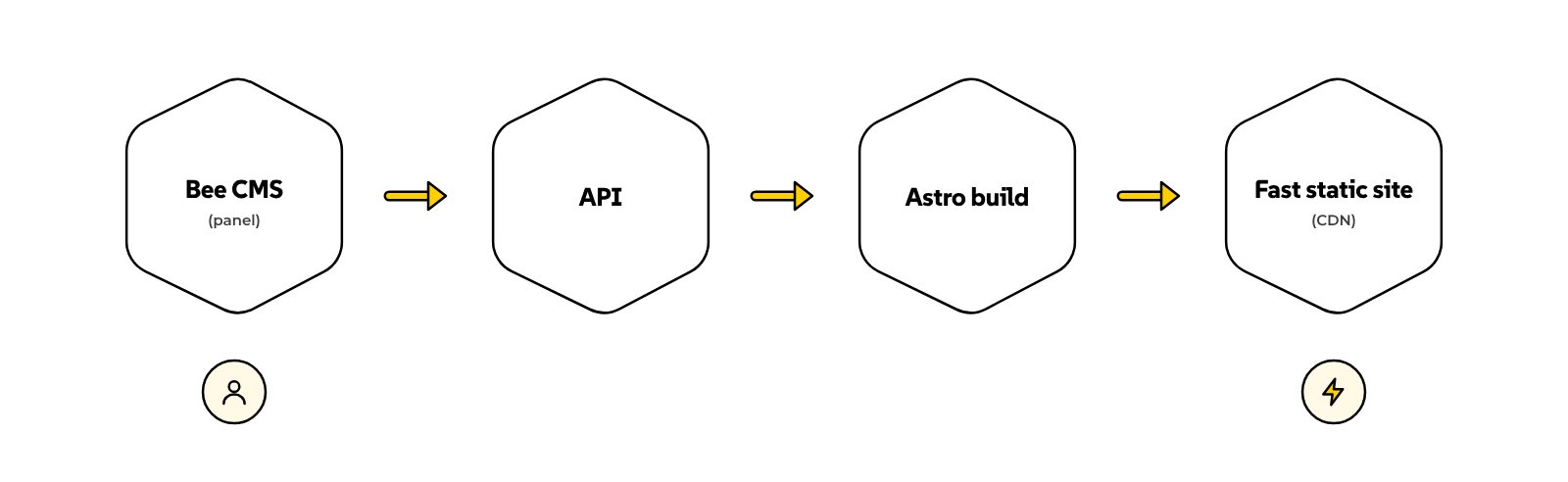
Bee CMS is headless: the panel stores your content and serves it through an API, and Astro builds it into plain static pages served from a CDN. Visitors get light pages with almost no JavaScript, and the public site has no database or login.

On Kwalitet, moving from Webflow to Astro raised the mobile PageSpeed score from 24 to 89.

Diagram: the Bee CMS panel feeds an API, Astro builds the site, and the finished static site is served from a CDN

Compared

Bee CMS next to the alternatives

How a site on Bee CMS compares with the two platforms we migrate people from most often. Where the answer is "partly", the note says why.

You own the code

Bee CMS✓

Plain Astro in a Git repository

Webflow◐

Export gives static HTML for current pages, not CMS data or forms

WordPress✓

Open source, files and database are yours

No plan-based ceiling on CMS items

Bee CMS✓Webflow✕

The plan sets a hard item limit

WordPress✓

No built-in cap

No per-editor seat fees

Bee CMS✓Webflow✕

Workspace seats are billed per person

WordPress✓

Languages without extra products

Bee CMS✓

A version of every page per language, with a completeness report

Webflow◐

Localization is a paid add-on, billed per language

WordPress◐

Needs a plugin such as Polylang or WPML

Light pages on phones

Bee CMS✓

About 10 KB of JavaScript on our Kwalitet migration

Webflow◐

About 1.75 MB of JavaScript on the same site before the move

WordPress◐

Depends on the theme and plugins

An AI assistant can edit it directly

Bee CMS✓

Its own MCP server, plus repository access for coding agents

Webflow◐

Official MCP covers what Webflow exposes, some tasks still need the Designer open

WordPress◐

Official MCP Adapter plugin, exposes only what plugins register

Code, hosting and CMS are separate layers

Bee CMS✓

You can hand each one off on its own

Webflow✕

Site and CMS run as one subscription on Webflow's platform

WordPress✓

Host and CMS are separate

Talk to us

This comparison reflects public information as of October 2026 and our own measurements. Plans and features change, so check the vendors' pages before you decide.

Pricing

Included with the sites we host

Bee CMS is not sold on its own. It comes with the sites we build or migrate for you, and the panel is included in our CMS hosting plans. Hosting is billed monthly per plan, and the current prices are on our hosting page.

See hosting prices

Questions

Questions about Bee CMS

Ready when you are

See Bee CMS on your own site

Tell us what you need to edit, and we will show you how it works in a short call.