
Your website
Editing your site with Claude
What you need
- A claude.ai account. The free plan works. A paid plan gives you more messages per day.
- A login to your site's panel. See Your website in Bee CMS.
- The connector address. Your Project Leader sends it to you.
- A site on Bee CMS. If your site runs elsewhere, we can rebuild or migrate it first.
Connect Claude to your site
Set it up once, at claude.ai in your browser.
1. Open Connectors
In claude.ai, open Settings and choose Connectors.
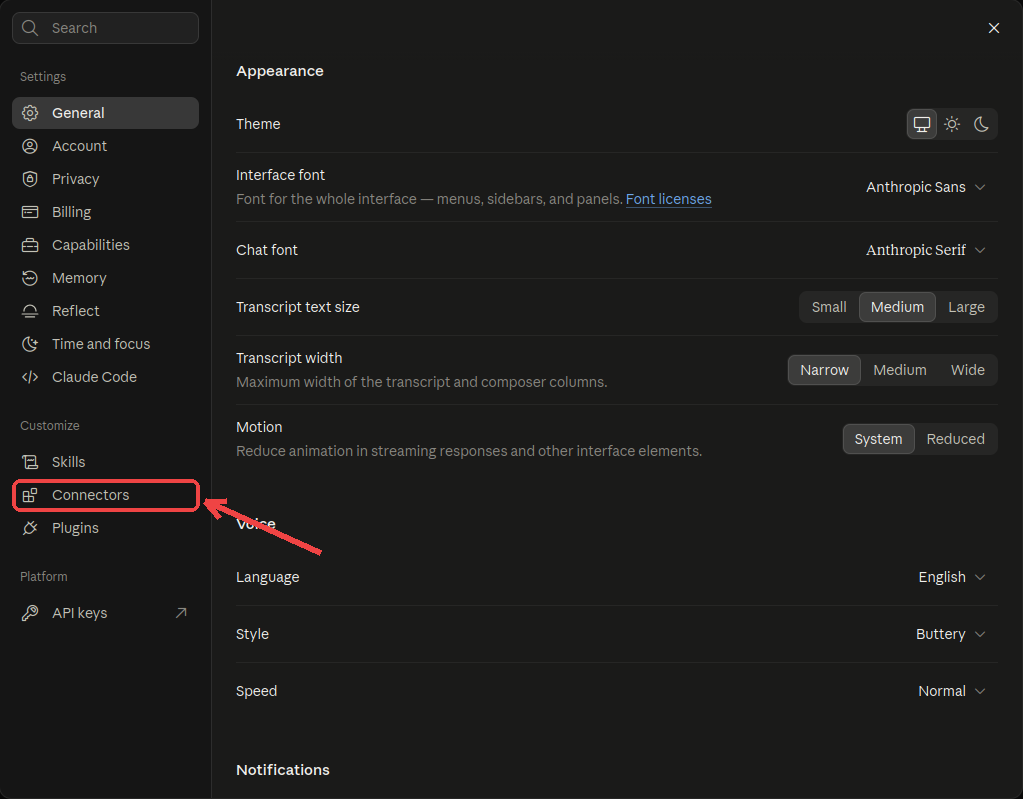
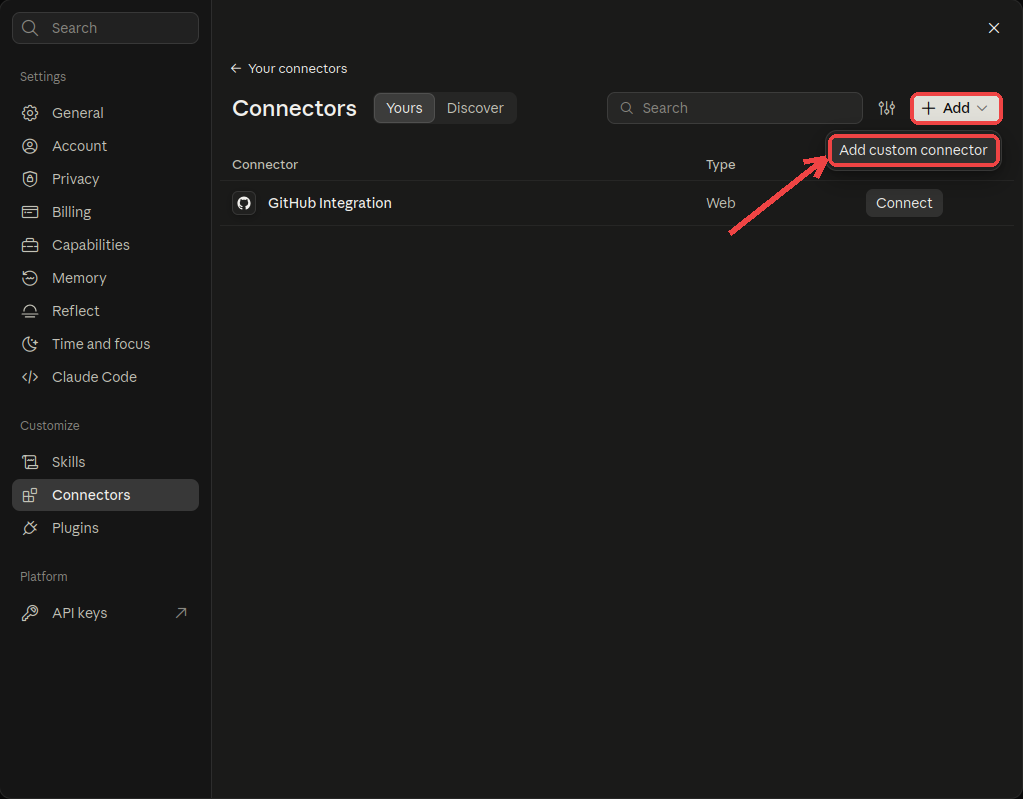
2. Add a custom connector
Click Add and choose Add custom connector.
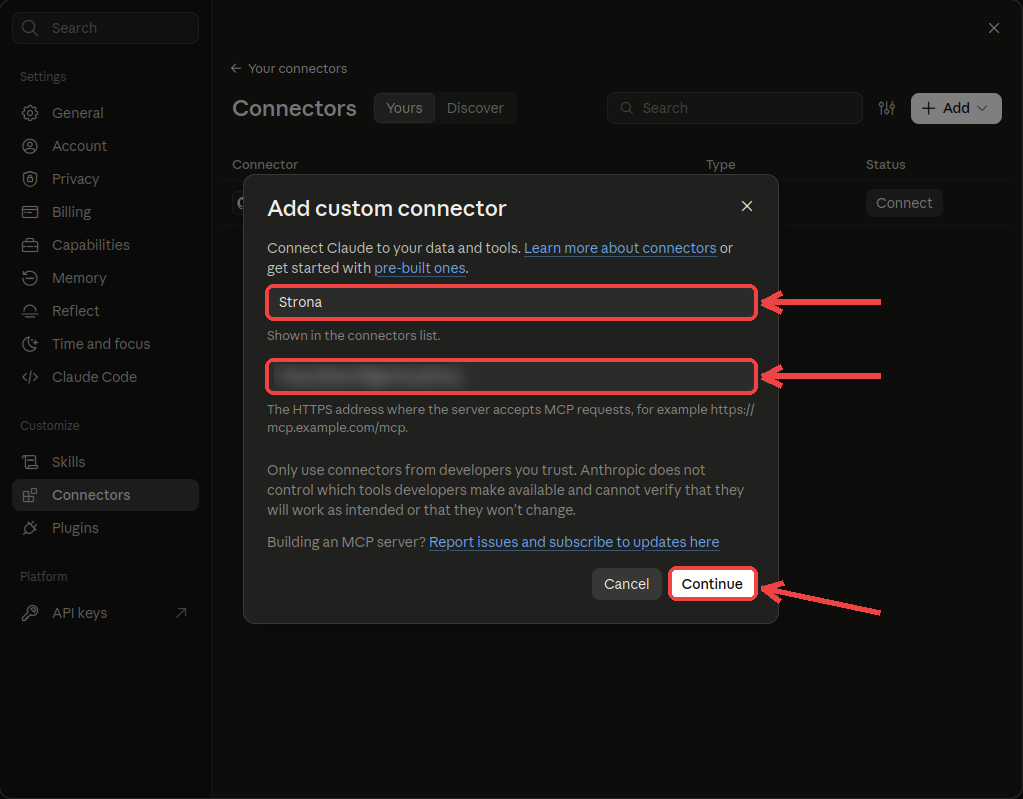
3. Enter a name and the address
Choose any name, for example the name of your site. Paste the address from your Project Leader and click Continue.
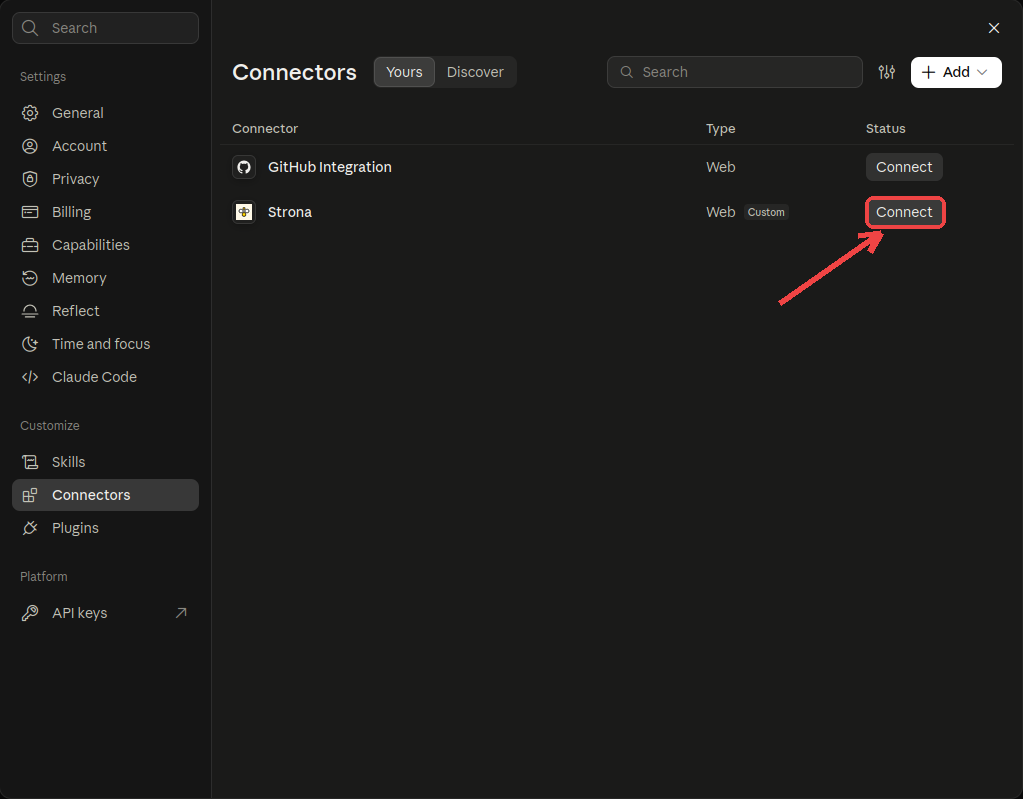
4. Connect and log in
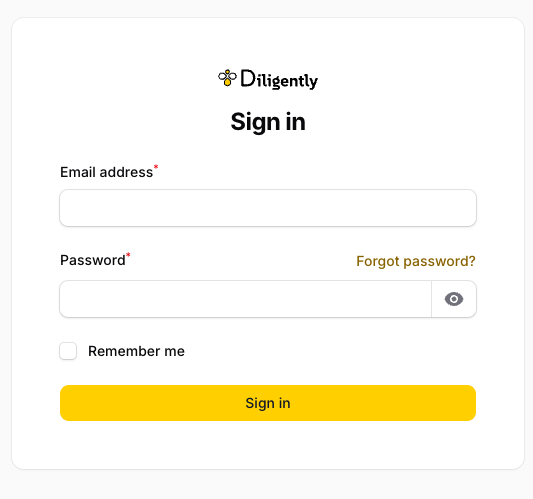
Next to the new connector, click Connect. Log in with your panel account and allow access. Claude sees only your own site.
5. Test it
Open a new chat and ask a question, for example "Which pages does my site have?". From then on you change the site by describing the change.
What you can change yourself
No developer needed. Every change goes to a preview first.
- Texts and headingsOn any page, in any language.
- PricesPrice lists and plans.
- PhotosReplace or add images.
- Posts and newsWrite and publish new posts.
- Opening hoursRegular and holiday hours.
- New sectionsBuilt from the ready-made blocks.
- MenuAdd, rename or reorder links.
- Google descriptionsPage titles and descriptions for search results.
Preview, publish and undo
- Preview. Every change goes first to a separate preview address, hidden from search engines. Your visitors still see the current version.
- Publish. Nothing goes live until you write Publish. Publishing is enforced by the server, not by the AI.
- Fix or cancel. Not what you wanted? Write Fix… and say what to change, or Cancel to go back to the previous state.
- Undo. The last publish and the last code change can be reverted.
New features
You can also ask for something the site does not have yet: a new subpage, a calculator, a form, a new section layout or an integration. The AI writes the code following the rules we set for your site. Each change passes automated tests, and changes to configuration are always checked by our engineer.
You review the result on the preview. A new feature goes live only after you write I accept. Large features, such as a client login, take longer. To check the status, ask Claude: "What changes are waiting for me?"
Good first changes
- Add a seasonal offer to the price list.
- Add a new person to the team page.
- Write a post about a new service.
- Replace the photo on the home page.
Questions
Do visitors see a change before I publish it?
No. The preview is a separate address. The live site does not change until you write Publish.
Who builds new features?
The AI, working under the rules we set for your site, with automated tests. Our engineer checks configuration changes, and you accept the result on the preview.
What does it cost?
It depends on your site and the scope of the changes. Ask your Key Account Manager for a quote.
Does it work with any website?
It works with sites on Bee CMS. If your site runs on another platform, we can rebuild or migrate it.